Showing posts with label Best Practice. Show all posts

Friday, 23 October 2015

Always check the basics - backups

Are your databases being backed up? Can you restore from them? Are you sure?

SQL Server has a built in way to check when the database was last backed up. You can access this data in a couple of ways:

Via T-SQL  - query the sys.databases table. You can identify the last time the database had a full, differential or transaction log backup

You can also use a Policy Based Management policy to do this - I use this to at least ensure that each database has a full or differential backup from within the last day, and as a prompt to act if it doesn't.

You can of course use a number of means to back up, but the only way of testing the backup properly is to try restoring it. By running a restore you check the backup, and of course the backup chain in the case of transaction log backups.

It's only by testing the restore that you can be sure that the backup is any use - and that your data is safe. So the follow on process is to ensure that you run consistency checks (DBCC CHECKDB in SQL Server) on the restored version.

Now we know:

  • The database was backed up
  • It can be restored to when the backup was taken
  • The restored database is not corrupt
  • By implication, the original database wasn't corrupt when the backup was taken
This means it is a backup that you, and your business can rely on.

The next step is to work with your backup software to automate this process, so you can be sure that the backup meets this criteria each time it runs.

Tuesday, 8 September 2015

Strategies for managing an enterprise - Policy Based Management (T-SQL Tuesday)

You may be aware of T-SQL Tuesday; it's a concept conceived by Adam Machanic ( b | t ) some years ago, to encourage a number of posts on a different specific topic on a monthly basis. This month's topic, as hosted by Jen,McCown, is Strategies for managing an enterprise.

A Strategy is a plan of action designed to achieve a long term goal or aim, so I thought I'd write about how I'd planned and achieved a solution to the problem of assuring myself and the business that our SQL servers met the policies and best practices we aspired to achieve.

I had recently been faced with the need to gain confidence in the state of a set of SQL Servers whose management hitherto has at best been a part time activity, and not owned by any one person or group. This had meant that, understandably, consistency and best practice have suffered, to the extent that a base level of audit and assurance is required. There's a few ways to achieve this, and I needed to come up with a strategy that would hit several goals.

Easy to implement

Technically advanced technologies are great, but sometimes you just need basic checks and the ability to build on the basis they provide. In our case, we needed to use the existing skills base to achieve our goal.

Automated

I didn't have the luxury of assuming there will be a full time DBA in the organisation in the future, and in any case we are always pushed to do more with less resource, so it is likely that any solution that involves manual steps will not be carried out regularly. We therefore needed an automated solution.

Visible

For any audit tool to be effective, particularly a tactical one, we needed to be able to provide a level of reporting, to allow the business to perceive the health of the assets, and have confidence that issues are addressed.

Comprehensive

There's no point in having a solution that doesn't cover all the bases. We needed one that will allow us to expand on the 'out of the box' functions to do custom metrics.

Cost effective

There are a lot of valuable solutions out there that really do provide great monitoring for large server estates, allowing real-time automated resolution of issues, and confirmation of policy adherence. Our needs were more modest however, and it should be noted that the goal was to achieve the monitoring without spending out on licences; this is something we can aspire to once the base level of audit is in place.

So once these goals are defined, I looked at some options. Third party solutions like Nagios, which is a great monitoring tool I've used in the past, were not an option due to existing skills bases. I needed to use something that would use existing developer or administrative skillsets. I explored Policy Based Management (PBM) in SQL server, and decided this was a good avenue because it allowed simple best practices to be easily monitored, in some cases bad practices prevented, and could be easily rolled out to the enterprise via a central management server

Using PBM, you can write policies that prevent some behaviours, but due partly to existing codebases, and in some cases third party products that we can't modify, as well as a relatively relaxed regulatory framework, I've chosen to alert rather than prevent. I can write conditions that only target certain server classes, and have taken to using extended properties on databases to denote whether certain conditions apply (and on the master database to denote server environment characteristics, such as Production/UAT/Dev). This gives the flexibility to write one policy for a condition and have it apply wherever an applicable system is hosted in the enterprise.

This setup was still missing one part however - the visible bit. By default, when you have a non-compliant server, all you get is an icon in SQL Server Management Studio, and an error code fired which means you can alert via an event. This isn't even very visible if you know what you're looking for - and doesn't tell you what's wrong.

The solution was to use the Enterprise Policy Management Framework, a combination of Powershell and SSRS to query an estate of servers and present the results in a report, which could be displayed centrally (think intranet, or screen in the management office), or scheduled and circulated like other SSRS reports, and is simple to visually check on a regular basis - a screen full of red is bad!

Did it work? Certainly, and it allowed identification of issues such as backups being missed off the schedules, security permissions which were against policy, orphaned users and the like. This allowed the strategy to achieve the aim of giving confidence in the level of servers across the enterprise.

There are some areas for further thought, not least in terms of the security permissions required to run reports, which are necessarily high - however any system which monitors areas such as sensitive configuration will require a comparatively high level of access. I'm also looking at modifying some of the reports to better fit our needs, but this is a minor change given the data is now in place.

I found that adopting a strategy of implementing a monitoring solution to check the basics are in place has given me the confidence that we have a firmer base to build on. The strategies and goals they aim to achieve will evolve, as they all should, as time is freed up and the needs of the business dictate.  I've not given up on implementing a more integrated monitoring solution in the longer term, but this is a great way of assuring the business that the service we provide is fit for purpose, and can be relied upon.

Tuesday, 14 April 2015

Information Vs Data Vs Security

A subject that has been close to my mind recently, is as to when data becomes information, and how the security of that asset is managed - and by whom.

We have probably all seen the triangle:
By Longlivetheux (Own work) [CC BY-SA 4.0 (http://creativecommons.org/licenses/by-sa/4.0)], via Wikimedia Commons

Which as you will gather, denotes that Information is comprised of (useful sets of) Data. There's also the concept, at least in UK law, of data, which comprises of Information:

Data means information which –(a) is being processed by means of equipment operating automatically in response to instructions given for that purpose,
(b) is recorded with the intention that it should be processed by means of such equipment,
(c) is recorded as part of a relevant filing system or with the intention that it should form part of a relevant filing system,
(d) does not fall within paragraph (a), (b) or (c) but forms part of an accessible record as defined by section 68, or
(e) is recorded information held by a public authority and does not fall within any of paragraphs (a) to (d).
https://ico.org.uk/for-organisations/guide-to-data-protection/key-definitions/

So it is clear that these terms are not defined exclusively, and that the terminology alone may present a problem.

The business often has a nominated Information Asset Manager, who looks after the types of information an organisation processes, and is responsible (perhaps to a Senior Information Risk Officer, or SIRO). The organisational policy may well give this person (delegated from the SIRO) the last word on policy - however this doesn't mean this person has the technical background to ensure that policy is implemented - or even practical.

There may also be someone in the IT infrastructure whose remit is security - either a dedicated IT Security Officer, or perhaps someone who has this responsibility as part of their work. Again, this is quite a wide ranging remit, and this person may feel it is better left to subject matter experts in specific systems, and lay guidance as to the principles to be observed.

This leaves the DBA with two potential places to go for security instructions, yet neither may understand the detailed technical processes necessary to actually undertake the remit, as their remit is either business focused or too wide for the focus on the specific technology of databases. That's where the DBA brings his or her expertise to bear, and as such brings value to the business.

Often the DBA role is also to mediate where the tension exists between data security and information use. This is because they are the guardian of the security on the data - and so the first place that gets approached when technical permission is denied. This brings to light the difference between a technical prevention measure, and a business policy allowing, forbidding, or laying restrictions on a course of action.

Whilst clearly data security will almost always win the balance between security and flexibility, the role of the data professional is increasingly to suggest a way to merge the data once permission is secured and in accordance with best practice. This is a difficult balancing act, which may not be fully understood by information users.

So how can we alleviate the issues this generates? Firstly - publicity. Explain what is necessary, and have a ready to roll out example of why you wouldn't like your data to be misused. Perhaps an example might be of sensitive personal data being unexpectedly available to the world for misuse, or the potential for processing of data in a way it wasn't gathered for - both breaches of the DPA, but still things that get requested disturbingly often.

A second avenue is to engage with the other data professionals in a proactive way, and ensure that clear paths are laid down to get issues circulated for discussion - and engage with the business to resolve them. Generally, there's a good way to do things, and a bad way - for example, would anonymised data do for a task? Could the risk be mitigated somehow? Perhaps we can't do something with the data we have, but changing how it is captured to ensure the correct permissions are granted gives us the ability to do this in the future. If the policies don't exist (or haven't been reviewed recently) then these can be bolstered to ensure they are fit for purpose - and in line with recent changes to regulation.

With these approaches, we lay down a safe way of working, that also keeps us within legal boundaries and hence providing value to the business with both of these points.

Wednesday, 26 February 2014

Keeping tSQLt tests separate in SSDT

Users of SQL Test and the tSQLt framework upon which it is based have noted in the past that because test objects are stored in the database, they can be difficult to differentiate from the objects under test.  This has been a barrier to some users adopting tSQLt for unit testing, as it prevented separate management of tests and raises the potential danger of tests being accidentally deployed within a production environment.

Recently I have been using tSQLt within SSDT (following this method by Ken Ross), and it occurs to me that this method of controlling unit tests allows us to keep the code under test in a different project to our tests, and therefore overcome the difficulty of keeping our tests as database objects. When we have our tests in a separate project within the same solution, we can choose to deploy either the tests with our code under test or simply the code itself without the tests.  By configuring the test project to ensure that it requires the code under test to also be deployed at the same time and into the same database, we can set up publish definitions for the tests to our development machine and also a publish definition for just the code under test. It's the latter which we would use to deploy outside of our development workstation, for example to UAT. It also means that if you deploy by DACPAC the tests have never been in that package, so it is ready to deploy to each environment without your needing to take any additional steps.

Of course, a Continuous Integration engine has access to both projects within the solution from source control so it can either include unit tests or not, depending on your desired build action.

By having both the code under test and the tests themselves within the same solution, we can use the same source control process allowing both the code under test and the tests themselves to be in one place, which prevents drift between the test and the code under test.

When developing databases in SSDT, using this method gives me the best of both worlds; tests which to live with the database under development  including within source control, and yet do not need to be removed from the database as part of or after the deployment process.

Saturday, 15 February 2014

Book Review - Tribal SQL

Tribal SQL
How many of you have written a book? Probably not many. Yet how people working with SQL Server have thought that they knew better, or that someone else would really appreciate how you do something? Probably a lot more.

Trying to encourage new authors to share a small, manageable amount of knowledge on a subject, like the lightening talk of the book world, is one of the aims of the book I'm looking at in this post - Tribal SQL.

It came about from a wish of Jen and Sean McCown (The Midnight DBAs) to let people read the insight and enthusiasm which is present in the less often heard corners of the SQL Community. I think they've done a good job in encouraging new voices.

The subjects covered are as varied as the topics - and all are in an informal, insightful manor, which encourages this both as an introduction to areas into which you might not have previously strayed, and also as a reference material / revision of best practice for those who have.

I'd strongly recommend this book to Accidental DBAs, who may find themselves suddenly confronted with a lot of new requirements and challenges, not the least of which is a distinct lack of training budget! (I'd also encourage attendance at SQL Community events, like SQL Saturday Exeter which is being held in March in the South West of England, and is free to attend).

This book doesn't restrict itself to the technical subjects (although it certainly does cover them, for example in Storage Internals and Data Compression) but also covers softer skills, such as project management skills, and how to get a stellar performance review. There's more basic introductory topics too, such as Stephanie Locke's chapter on reports, and how to gather requirements, implement a good relationship with others in the organisation, and produce them a great report.

I found the breadth really refreshing - the authors clearly want you to learn, and the fact that they've donated their royalties to charity really underlines their wish to help those around them.

If you aren't convinced, Red Gate have currently got a sample chapter on their website (UPDATE: as Melanie pointed out in the comments below, there are three sample chapters from the book on the Simple Talk website - Agile Database Development, Guerrilla Project Management for DBAs and SQL Server Storage Internals 101), and you can buy the book from Amazon - there's even an e-book available! The code samples are all available from the Tribal SQL website.


Disclosure: I was sent a review copy of this book free of charge by Red Gate Publishing, but otherwise received no remuneration or reward for this review.

Monday, 30 September 2013

A word on data types

I came across a situation today where there was clearly confusion as to data types and numeric representation.

The basic issue at hand was how to represent a large number in SQL Server.

Now, SQL Server has a number of data types, which are essentially ways of representing data so that SQL Server can understand something about them. Each bit of data in SQL server needs to have one of these types. Some of these are used for numbers, and that is where our problem starts.

There are specific ranges of data that can be represented in each, and a corresponding amount of storage used. Clearly this is a concern for DBAs and DB designers who need to calculate storage space for millions of potential records. For example, the Numeric / Decimal types have the following possibilities:

Precision
Storage bytes
1 - 9
5
10-19
9
20-28
13
29-38
17

What this really means is that a number with a precision of 10 takes up nearly twice the storage space of a number with a precision of 9, but that storage space is only affected when you get beyond certain values - which may mean that you can use more precision for no storage space cost. Precision here is the number of digits that are stored (the total number including those both to the left and right of the decimal point).

The general rule I use is that one should use an appropriate type for the meaning of the data (i.e. if you're storing a number, use a type that is recognised as a number, if you are storing text, use a character-based type, if you are storing a date and time, use a type designed for the purpose, etc).

Of course, there is an obvious problem here. What can we do to store a number that has 39 digits in it?

Well, you cannot store a number in a data type that is outside the range of it. You need to pick an appropriate value. There are two solutions here - The application could report an error as the data is not able to be represented, or (more sensibly) the appropriate data type should be used. For some applications, you may only care about the significant digits (and not the final accuracy) so a float data type may be appropriate.

These are decisions that ideally would be taken by a database designer before an application is commissioned with full knowledge as to the intended use of the field, and certainly changing data types takes communication between various parties as you would ideally change the data type in the application, and everywhere that data is used in the database, to minimise implicit conversions and any resulting performance issues or rounding / truncation.It is something to be very careful of in an agile environment where you may find that data changes during development.

A word on the storage of numbers. If you are looking to store the data '9E10' then this could be a string data type (a digit nine, an E, a one and a zero), perhaps an equipment model number, or it could be representing 90000000000 (9*10^10). This is one reason why the data type is important, and typed data is more meaningful than untyped data. It would be stored differently, depending on the data type, and to SQL Server these different interpretations are not necessarily the same information (although if implicitly converted they could be perceived as such). This can lead to unexpected behaviour from your application.

Dates have a similar ambiguity to them, but with the added ambiguity that you don't know if 3/2/13 represents the 3rd of Feb (UK format) or 2nd of March (US format). For this reason it is always a good idea to use a specific date-based data-type (there are some such as the Date type that only store the day, and others such as datetime, datetime2 or smalldatetime that store various precisions of time as well). If you must use a string type to represent data (for example in printed output) then it is advisable to use an unanbiguous format, such as ISO8601 detailed - CCYY-MM-DD.

I hope this has clarified some of the uncertainty over date types.

Tuesday, 12 March 2013

I'm sure my procedure does what it should!

Last Saturday, the 9th March, was the day for SQL Saturday 194, held in Exeter in the UK. This event was organised by the SQL South West User PASS chapter.

From my perspective, the event seemed very well attended, and smoothly run. There were some nice touches too, like a beer and a pasty for every attendee with which to end the day, and people I spoke to had gotten a lot from the day. It was great to see so many people talking to sponsors and getting advice on their individual questions from the community. It's always amazing how much expertise there is available for free at SQL Community events!

The next SQL Saturday in the UK is in Edinburgh in June, but you can see the list of upcoming events here. There are other community events in the UK, including SQL Bits and SQL in the City. Why not come along to one? Many also run pre-con sessions, which is a cost-effective way of getting SQL Server training.

I'd like to thank those who attended my session, and also Red Gate who were kindly able to supply me with some licenses for their SQL Test product to give away. I hope that you get started unit testing your procedures and gain confidence that they do what they should, too!

My session on unit testing databases, "I'm sure what my procedure does what it should!" used the tSQLt framework to show how to write repeatable unit tests for your databases. If you would like my session slides and scripts, they are available for download here. Please do drop me a line (I'm @d_a_green on twitter) or post a comment below if you have any further questions.

Saturday, 5 January 2013

Get your 'learn' on in 2013

Continuous personal development is an important part of most chartered professions - Doctors, Dentists, Architects, Engineers, etc., and I can't help thinking it's a good thing - the state of knowledge within most areas is constantly expanding and the more knowledge your Doctor has, the better treatment you can get. It's a good thing that Architects can learn new things - it means that we get better buildings.

The rate that the IT field is changing is also rapid. This means that we have to continuously improve our knowledge in order simply to stand still. It's something that some employers will help with, particularly if the topic is relevant to upcoming work, but if your employer doesn't feel able to pick up all of the cost, there are lots of ways to help persuade them that it's cheaper than they think - and your showing an interest will probably tip the balance; it could also help them perceive you as a more enthusiastic and valuable employee.

However, not all conferences need cost you lots of money, if you can get yourself there and make the time.

As you may know, I am a regular attendee at the SQL South West User Group, and the group organisers, FatherJack and Mrs_Fatherjack are putting on the latest SQL Saturday event in Exeter (UK) on the 8th and 9th of March. The Friday is a paid day of deep-dive sessions (with a discount of 19% if you register by 31st January) and Saturday the 9th is a day of 1 hour long sessions on a variety of topics. These are usually long enough to cover a subject, without being too detailed. That means they're suitable for a variety of levels of knowledge.

The SQL Bits team are again putting on a conference on the first weekend in May (a bank holiday weekend), this time in Nottingham. I've written about my experiences attending an earlier SQL Bits conference and I'd highly recommend it.

If you can't free up the weekend of a conference, your local user group can be a gentler introduction, and you will find a list of UK SQL learning opportunities here.You can also see recordings of past sessions from most conferences online at your convenience, but of course that does mean you miss the networking opportunities that attendance at the event brings.

If you've been to conferences in the past, why not contribute back to the community, and submit a session for a conference, or speak at a user group? SQL Saturday 194 is accepting sessions until Monday 8th January 2013, and SQL Bits session submission is also open. Both events welcome submissions from new speakers.

Wherever you are in your career, I hope that you embrace the challenge of learning something new this year.

Tuesday, 20 November 2012

When database code just doesn't smell right

Have you ever had a feeling that although your (or your developers') code works fine and passes all the unit / functional tests, perhaps it isn't all that it might be? It may be that you have inherited historic code, the requirements have developed organically, or perhaps that it was simply written in a hurry as a proof of concept that has stayed in production far longer than you would like to admit.

There are best practice tools such as SQL Cop to help identify this in databases, but perhaps you want something a little different. There can be a requirement to do this not only on a compiled database, but also on a series of script files. Perhaps these differentiate your database for different scenarios, or perhaps they're utility scripts you simply want to have a heads up on any hidden nasties that they contain.

This was something that had obviously struck Dave Ballantyne, and so he's created TSQLSmells, an opensource powershell script which analyses SQL script files for common "smells". Whilst it's a work in progress at the moment, Dave is actively developing it, welcoming and responding to feedback.

I've had a working Adventureworks database in a continuous integration job for some time, so this seemed the perfect test implementation to apply to TSQLSmells.


Firstly - the requirements. TSQLSmells needs powershell version 3, so you may need to update your copy to use it. This is a free download from Microsoft, so whilst I'd recommend trying it on a testbed first, it shouldn't cause any issues.

Next, let's look at how to run the script. The command line I use is as follows:

powershell -ExecutionPolicy Bypass -File "c:\cifiles\TSQLSmells.ps1" -FolderPath "%teamcity.build.checkoutDir%\Database" -ConfigFolder "C:\CIfiles" -minSeverity  10  -SupressGUI

Now, you will see I'm calling powershell bypassing the execution policy. You could update your build agent to set this appropriately, or even sign the script if you wanted. The File parameter points to the location of the powershell script. FolderPath is used to denote where the scripts under test are. I'm pointing it at a directory where my source controlled database is located. You can use a FileSpec parameter to denote when your files have a different extension to .sql (the default).

TSQLSmells denotes a "severity" for each error it searches for. These are configurable within the errors.txt file (which is a simple CSV format), and this allows you to exclude certain types of error if you do not want these to be reported upon. This is where the MinSeverity parameter comes in, as this is the threshold for reporting errors - simply set it to be not lower than the value you wish to exclude. You can also exclude specific error numbers with the ExcludeErrors parameter.

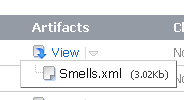
The output to the script is put in the config folder, and called Smells.xml. Whilst this isn't ideal from a CI point of view, it's a relatively simple matter to update the output location in the script so that the file is output within the CI job folder. I store the file as an artifact on each build, so that  it can be referred to, and stored with test results.


Although the Smells.xml file is not in a format which the CI system directly understands, it is an easily understandable format and would not be difficult to associate with an XSD file for display. (I am exploring with Dave at the moment whether the output could be altered for better integration with CI systems in the future.)


If you don't want to run the script as part of a CI process, it does have a GUI element to it - you'll note I used the SupressGUI parameter above, if you exclude this parameter then the GUI will be run to return the results to you.

The choice to use powershell rather than SQL to analyse the database scripts has both pros and cons, the trade-off being that whilst you can examine specific scripts outside the database, you don't have the easy extensibility for those not familiar with powershell. This may include many database devs/DBAs, although powershell is becoming more widely adopted. I feel that this is a distinguishing feature which gives TSQLSmells an edge - it allows scripts to be examined outside of a database, and to allow them to be examined before they are put into the final environment. Although I am in this example using a source controlled database, there is no reason why the database need be involved at all. This gives an ability for a sanity check to be light-weight - and therefore run ad-hoc more frequently.

I think that this script shows great promise and will for me form another method of screening code for potential issues. Whilst it's not a cast-iron guarantee of a problem, it's a useful way of highlighting potential problems, and gives a list of files to check in more detail.